Blender 5.2.0 LTS NPR Port - Features and Usage Guide
Project Introduction
Blender 5.2.0 LTS NPR Port is an NPR-focused Blender branch. In addition to integrating characteristic nodes from Goo Engine and the 4.4 NPR-prototype, it adds a set of Eevee-oriented extension nodes, a Filter Graph workflow, and interface improvements.
The release package includes Cycles, but the NPR extensions documented here are Eevee-only and cannot be used in Cycles.
Documentation Scope
This document describes the NPR / Eevee extension features that have been added to the current Blender 5.2.0 LTS NPR Port branch compared with official Blender 5.2.0 LTS, together with their basic usage.
5.2.0 LTS Highlights
- Migrated to the official
Blender 5.2.0 LTScode base and adapted the Eevee NPR render paths - Replaced the legacy linear Filter Materials list with a scene-level
Filter Graphsupporting four execution stages and reusable Filter Pass materials - Added a
Node / Codeeditor toGLSL Function, with inline internal-Text editing and an atomic Apply / Discard workflow that protects the live material - Added
mat2,mat3, andmat4input,outparameter, and return-value support toGLSL Function, available in Eevee object materials, Filter materials, andNPR Tree - Retained NPR extensions such as
GLSL Script Expression,Native Camera FX Outputs,Eevee Performanceshadow / probe attribution, andOKLab Color Ramp - Fixed Eevee shader, transparent AOV, Scene Color offset-sampling, and node-interface compatibility regressions found during the 5.2 migration
Node Overview
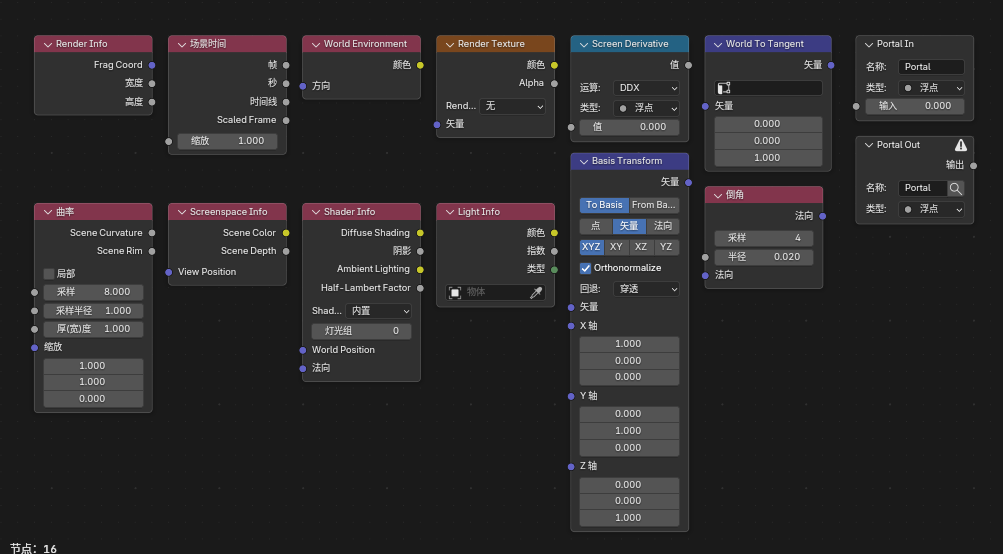
Shader Nodes
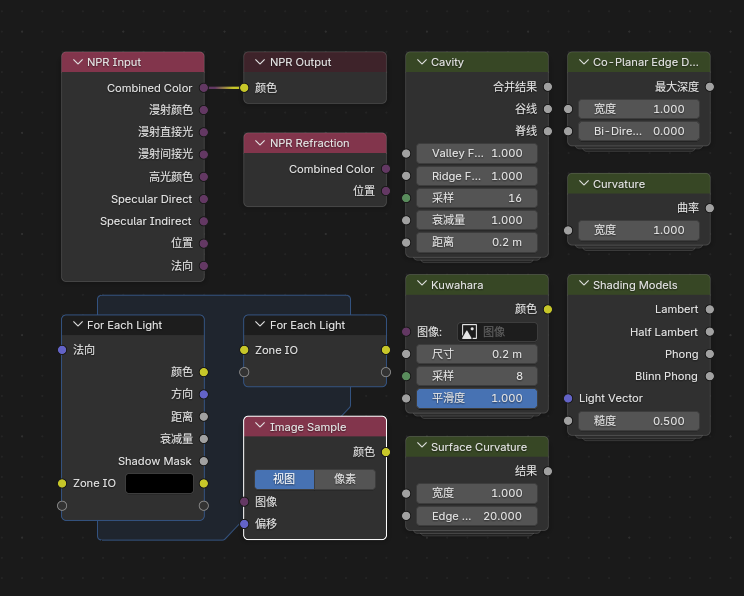
NPR Tree Nodes (some shader nodes can also be used inside NPR Tree)
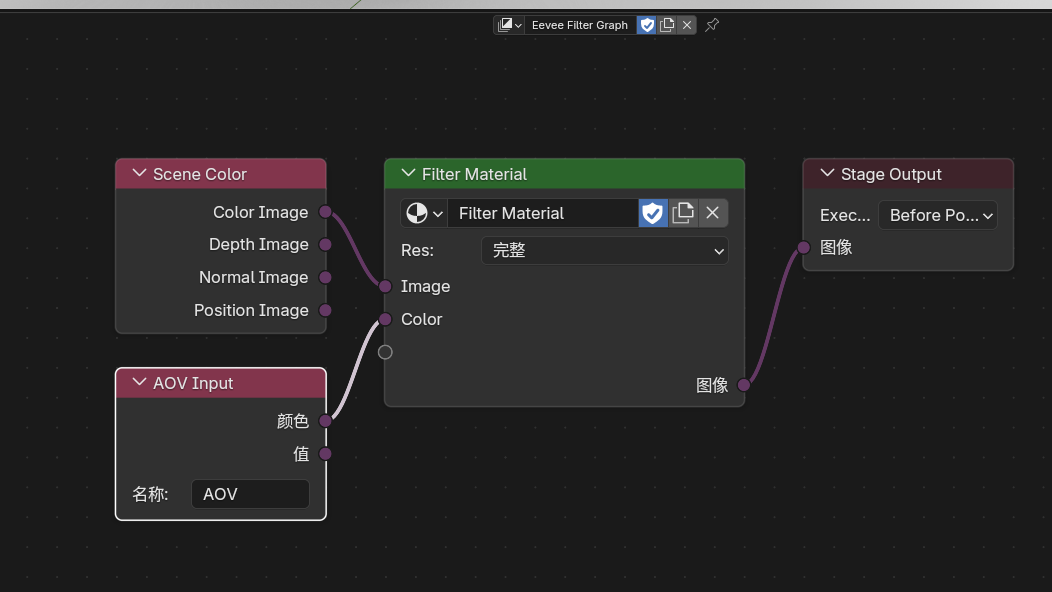
Eevee Filter Graph
-
Scene-Level Extensions
Start with the scene-level Eevee extensions to understand the core features.
-
Extended Nodes
Dive into the functionality of each newly added node.
-
NPR Workflow
Learn how the NPR Tree workflow is organized.
-
Interface & Settings
Check additional interface options and workflow settings.
Main Feature Categories
1. Scene-Level Eevee Extensions
Render TexturesFilter GraphEevee OutlineNative Camera FX OutputsScene Color / AOV Input / Filter Pass / Stage Output
2. Shader Nodes
Filter Object InfoFilter MaskScene ColorRender InfoScene TimeScreen DerivativePortal In / Portal OutOutline ControlScreenspace InfoWorld EnvironmentLight Probe ColorWorld To TangentGLSL FunctionGLSL Script ExpressionImage to ClosureLight Shader InfoLight Shader OutputBasis TransformTwirlWater RipplesHex Grid TextureSDF PrimitiveSDF OperatorSDF Vector OperatorBevelCurvatureShader InfoLight InfoOKLab Color Ramp
3. NPR Workflow
4. Interface & Settings
Eevee PerformanceOutliner view- Shadow / probe cost attribution in
Eevee Performance - Material preview control
- Material face culling
- Material
ZTest / Stencil / Color Write / Depth Write - Lightgroup management
- Sun
Shadow Map Scale - Splash version tag
- Pose bone Outliner visibility
Eevee Only
The release package can run Cycles, but the NPR Port extensions documented here require the Eevee render engine and cannot be used in Cycles.